matt johnson

google fuchsia OS
Shaping the OS of the Future
scroll to see more


Product
Project Turquoise (Fuschia) was a design-led R&D initiative born from a simple conviction: modern computing was overdue for a rethink. My small team of roughly a dozen senior designers, sponsored by and reporting directly to Google's first VP of Design, Matias Duarte, we were tasked with building Google's answer to true ambient computing – from the kernel to the interface (Armadillo UI). The project eventually found a large engineering sponsor, merging into Project Fuchsia and progressing toward real production proof-of-concepts on new devices running on its new Zircon kernel. Designed to scale from IoT to personal to large shared devices, Fuchsia currently powers Google's Nest hardware today.
Opportunity
While the broader project took on the full hardware-software stack, our design team rallied around three fundamental shortfalls of existing operating systems: siloed device access, linear/declarative user experiences, and leaky private data. The conviction was that cloud compute and an open-source, modular architecture could deliver something far more personalized, procedural, and secure that was available to users on any capable device regardless of ownership.
CONTRIBUTIONS
Key contributor to OS interaction paradigm and visual language
Co-led layout and animation principles that composed bespoke experiences for users at runtime
Mocked, prototyped, and animated early concepts that secured long-term sponsorship from CEO Sundar Pichai
BIG TAKEAWAY
The best brief isn't to improve what exists — it's to design what should.
DetAils
Company
:
Role
:
Sr. Motion / Visual Designer
Timeframe
:
2015 Q4 – 2017 Q1
The first failure of modern computing we set out to solve: users are surrounded by a growing constellation of personal, shared, and public devices – yet still predominantly live on the small one in their pocket. The ambition was an OS where any screen could seamlessly become a personal device.
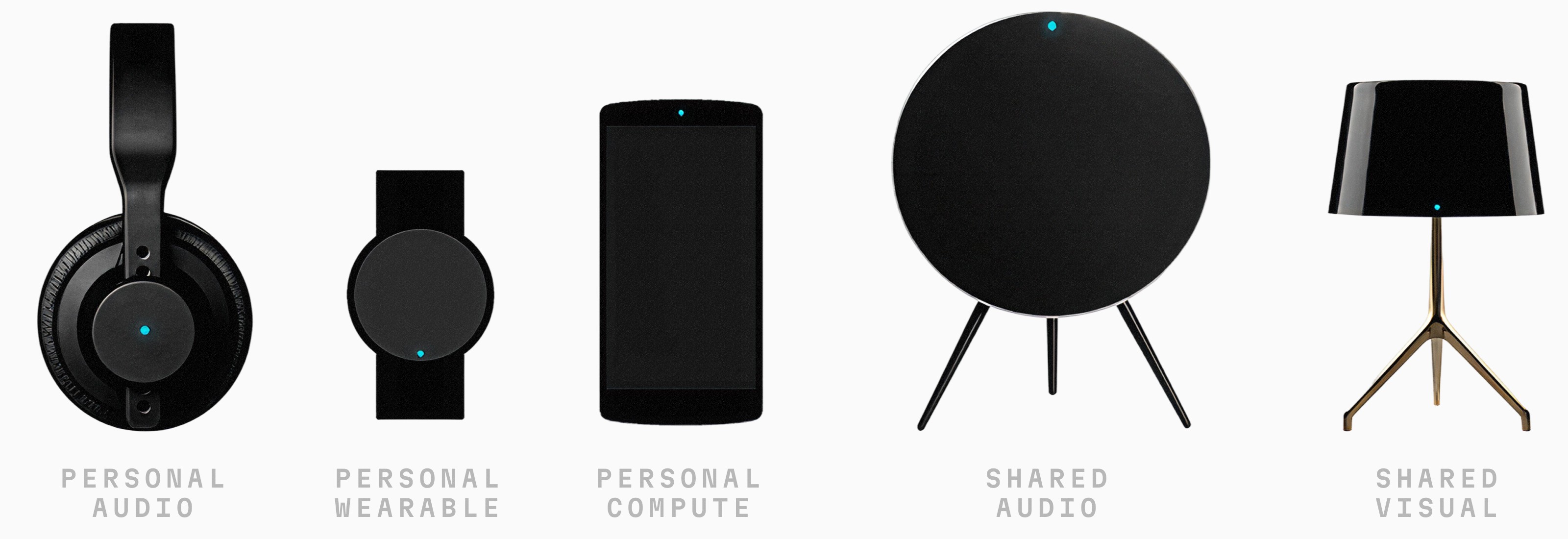
This would require a cloud ledger storing and serving each user's state in real time, combined with peer-to-peer device networks that could authenticate presence and intent. The more confident the system was that it was you, the more private and personalized your experience could become on any capable form factor. The engineering and hardware lift was immense, but two interface challenges were equally critical: (1) defining the governing rules and non-deterministic constructs across the full spectrum of shared-to-private experiences, and (2) a visual language that could adapt across any scale, form factor, and input/output modality.

The second target: breaking the application model entirely. Could user experiences be decomposed into atomic units of functionality granular enough to be reassembled at runtime, driven by ML, and tailored to you and your current context? The more the OS is used, the better it gets. The more I use it, the more precisely it anticipates what I need and prefer. The challenge for the design team was threefold:
UI Composer | A flexible information architecture that could compose bespoke experiences coherently |
|---|---|
Assistant | A consistent and universally available NLP-based input layer |
Prediction Engine | A contextual suggestion engine that could speculate, simulate, and ultimately meet users where they were |
In hindsight, we were designing the frontend to what LLM-based AI agents are only just now beginning to do on their own.
The final undertaking: rethinking the tradeoff we all silently accept between privacy and personalization. On the backend, this meant code coming to operate on the user's central ledger rather than data being dispatched outward. On the frontend, it meant experiences that could be deeply and intelligently personalized – not because authors hardcoded it, but because the system could anonymize and learn how user data augments experiences in real time.
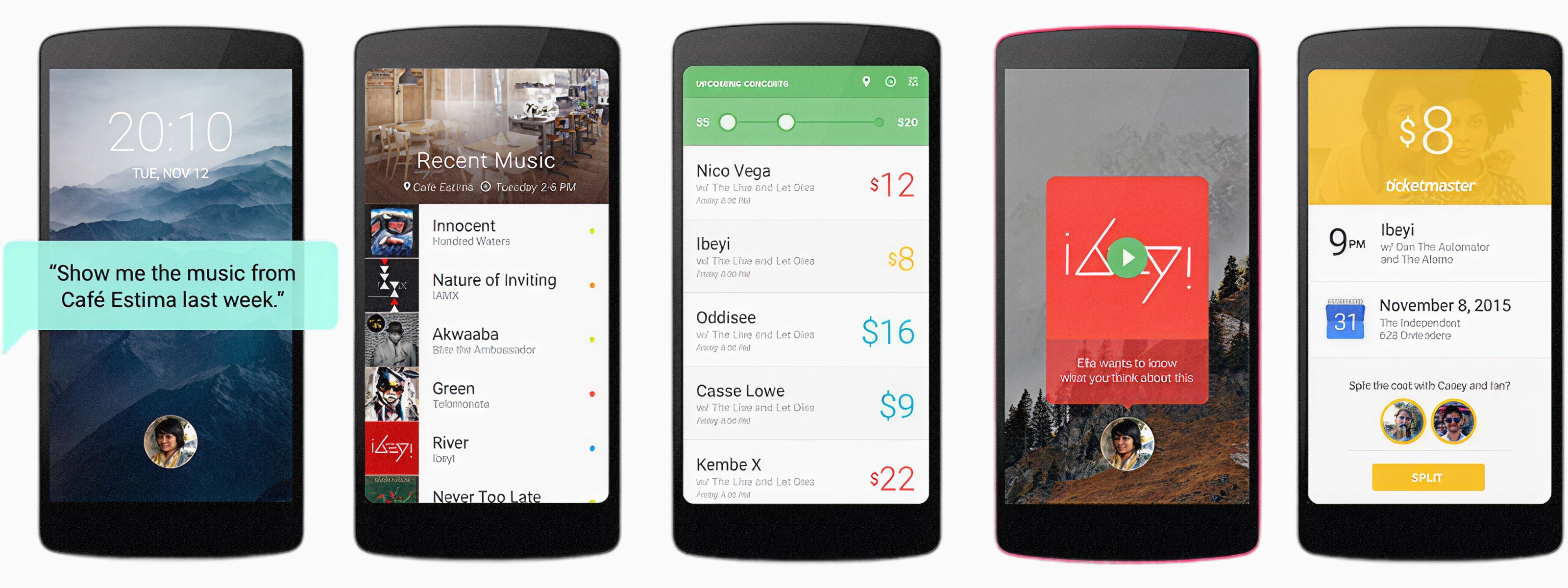
The design challenge was transparency without friction. No more permissions dialogues. Instead, clear ambient signals communicating what data was being accessed, how anonymized it was, and how much compute was happening locally versus in the cloud. Not every user needs to understand the mechanics, but taking cues from the web, visible trust signals are critical to safe and care-free use.
more from Google
want a demo or
deeper dive?
Hit me up for a demo or a more nuanced discussion about my work.